
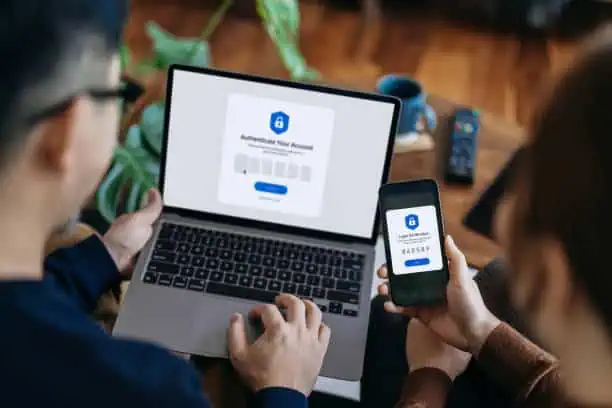
In today’s digital landscape, multi-factor authentication (MFA) is no longer just a security enhancement—it’s a necessity. From protecting your email accounts to securing your financial data, MFA provides a critical layer of protection that makes it significantly harder for cybercriminals to gain unauthorized access to your information.
What Is Multi-Factor Authentication (MFA)?
Multi-factor authentication (MFA) is a security process that requires users to provide two or more verification factors to gain access to a system, application, or account. Unlike traditional login methods that rely on a single password, MFA combines multiple forms of identity verification:
- Something you know (e.g., a password or PIN)
- Something you have (e.g., a smartphone or hardware token)
- Something you are (e.g., a fingerprint or facial recognition)
By requiring more than one form of authentication, MFA drastically reduces the likelihood of unauthorized access—even if your password is compromised.
Why MFA Matters in 2025
In an age where cyberattacks are increasingly sophisticated, passwords alone are not enough. According to a report by Verizon, over 80% of hacking-related breaches are due to stolen or weak passwords. MFA helps prevent such breaches by ensuring that knowing a password alone isn’t sufficient for access.
How MFA Works in Real Life
Imagine logging into your bank account. With MFA enabled, you first enter your password. Then, a code is sent to your mobile device, or you’re prompted to verify your fingerprint. Only after successfully completing this second step are you granted access. Even if a hacker has your password, they can’t access your account without the second verification factor.
Types of Multi-Factor Authentication
There are several types of MFA methods in use today:
- SMS and Email Codes: A one-time code is sent to your phone or email. This is the most common method but also the least secure due to the possibility of SIM-swapping attacks.
- Authenticator Apps: Apps like Google Authenticator or Authy generate time-sensitive codes for your accounts. These are more secure than SMS-based methods.
- Biometric Authentication: This includes fingerprint scanning, facial recognition, or retina scans. Often used in smartphones and high-security systems.
- Hardware Tokens: Devices like YubiKey or RSA SecurID that generate or receive one-time codes. These are very secure and commonly used in enterprise environments.
Where Should You Use MFA?
The short answer: everywhere you can. Prioritize enabling MFA on:
- Email accounts (especially Gmail, Outlook)
- Bank and financial services
- Social media platforms (Facebook, Instagram, X/Twitter)
- Cloud storage accounts (Google Drive, Dropbox, OneDrive)
- Online shopping accounts (Amazon, eBay, PayPal)
- Work-related logins and tools (Slack, Microsoft 365, Google Workspace)
Any account with sensitive data or the potential to impact your digital identity should be protected with multi-factor authentication.
Pros and Cons of MFA
✅ Pros:
- Enhanced security
- Protection against password theft
- Easy to implement on most platforms
❌ Cons:
- Slightly slower login process
- May require access to a device (like a phone or token)
- Can be bypassed if improperly configured (e.g., poor backup methods)
Best Practices for Using MFA
- Always use an authenticator app or hardware token instead of SMS.
- Back up your recovery codes in a secure location.
- Enable MFA on all critical accounts, even if it’s optional.
- Educate your team or family about MFA and how to use it.
The Future of MFA and Passwordless Authentication
With advancements in biometrics and device security, many platforms are moving toward passwordless authentication, where MFA becomes the primary method of login. Services like Passkeys from Apple and Google are examples of this shift, eliminating passwords altogether while maintaining strong security.
Multi-factor authentication (MFA) is one of the simplest yet most effective tools you can use to protect your online accounts. While no security method is perfect, implementing MFA significantly increases your protection against data breaches and unauthorized access. It’s a small step that provides a huge leap in security. Don’t wait for a breach to take action—enable MFA everywhere today.